


Games for Toddlers 2 Years Old
4.4201.00 Reviews
App Specs
- Version
- 2.85
- Updated On
- License
- Free
- Downloads
- 5,000,000+
- Developer
- Bimi Boo Kids Learning Games for Toddlers FZ-LLC
- Categories
- Educational
- Platform
- Android
Screenshots
 Analysis by AppCompare
When I’m choosing a game for a toddler, I look for something that can hold a child’s attention without turning a short play break into a complicated project for the adult nearby. Games for Toddlers 2 Years Old is an educational game from Bimi Boo Kids Learning Games for Toddlers FZ-LLC, aimed at young children who are beginning to explore simple activities on a touchscreen. I found it most useful as a small, supervised play option rather than a substitute for toys, conversation, or hands-on learning.
What the purchase actually means
The game is free to download, while optional in-app purchases are listed at $2.99 to $9.99 per item. That distinction matters when deciding whether to try it: the download does not mean every part of the experience is necessarily included at no cost. I would check what is available in the free portion with an adult present before letting a child settle into a routine around a particular activity. This is a practical way to avoid a toddler running into a purchase screen at an inconvenient moment.
The age rating is Everyone, and the game is intended for preschool-age children. It has an average rating of 4.3 from around 34,000 ratings, with over 5 million installs. Those figures suggest that many families have tried it, but they do not tell me whether its activities suit a particular child or whether the paid content is worthwhile for your household. I’d treat popularity as a reason to consider it, not as proof that it will be the right fit.
Progress without turning play into a test
The appeal of a toddler game is often less about measurable progress and more about giving a child a chance to try, notice, and try again. With a young child, I’d keep sessions brief and follow their attention rather than encouraging them to finish a set of activities. If they become restless or start tapping without looking, that is a useful signal to stop, not a reason to push through another round.
A simple routine can make the game more purposeful: invite your child to choose an activity, stay nearby while they explore, and ask them to point out or name something they recognize. Then put the device away and connect the play to something nearby, such as sorting real objects by color or shape. The screen becomes a prompt for shared attention instead of an isolated reward. This approach is especially useful for caregivers who want a brief activity that can lead naturally into conversation.
Fairness, spending, and the adult’s role
There is no competitive fairness question in the usual sense here: this is an educational game for toddlers, not a contest between players. The more relevant issue for families is whether optional spending feels clear and manageable. Because purchases are available, I would keep control of the device and any account settings with an adult, and avoid leaving a child to navigate purchase choices alone. That is sensible supervision for any young child using a device.
I also wouldn’t assume that a free download gives a complete picture of every activity. Before making it part of a regular routine, an adult can explore what is accessible and decide whether the available content is enough. If you are comfortable considering a purchase, weigh it against how often your child actually returns to the game and whether the activities hold their attention without constant adult prompting. That is a better test of value than the number of activities alone.
Worth Reading Before You Choose

EA SPORTS FC Mobile 26 Is a Bigger Football Game, but It Takes Time

Flipboard Shows What News Apps Must Do Beyond the Feed

Switching to Android Auto Means Rethinking Your Driving Routine

Google Calendar Makes a Crowded Week Easier to Manage

Ludo King Makes the Most of the Minutes Between Plans

Baby Panda World Brings Quick Play to Modern Phones, but Its Game Library Feels Busy
How it fits beside other toddler activities
Compared with a physical puzzle, a screen-based game is easier to carry and can be handy during a wait, but it cannot provide the same tactile experience or shared manipulation of pieces. Compared with a video, an interactive game gives a child something to respond to, though that does not automatically make every screen session educational. I’d choose this kind of app when a short, guided digital activity suits the moment, and choose books, blocks, or conversation when the goal is more hands-on play.
One everyday situation where it may help is a quiet stretch before an appointment: I’d open the game while sitting beside the child, let them try one activity, and use their choices as a starting point for chatting. I would not rely on it as a guaranteed way to occupy a toddler for a long journey or an entire meal. Young children’s interest can change quickly, and having a non-screen backup is still worthwhile.
Parents who want a simple digital activity for a preschooler may find it useful, especially when they can sit nearby and make the play social. It is less suitable if you are looking for a fully hands-off babysitter, a deep curriculum with clearly documented learning outcomes, or a replacement for physical play. I would also skip it if your household is trying to reduce screen use or if in-app purchase options are not a fit for your device setup.
One small but useful habit is to explore the game yourself before handing over the device. That lets you see how the child moves between activities and where adult help may be needed, without making assumptions based on a child’s first taps. Another is to agree on a natural stopping point before play begins; a short session that ends calmly is often more useful than stretching screen time simply because another activity is available.
Play, design, and day-to-day use
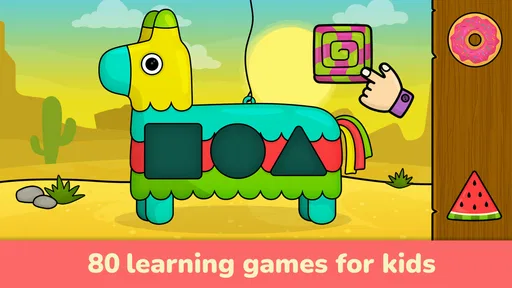
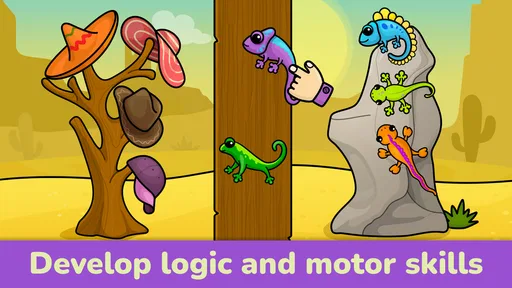
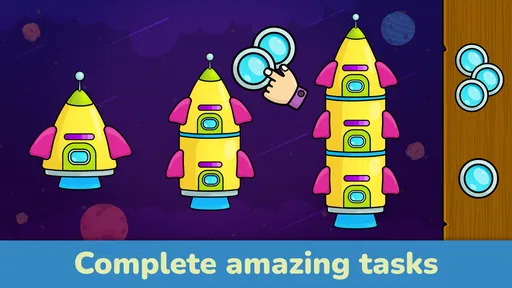
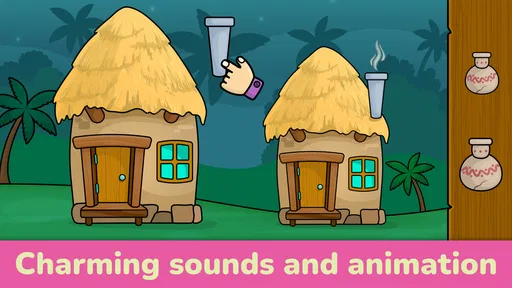
When you first open Games for Toddlers 2 Years Old, you're greeted with a vibrant and colorful interface that's designed to capture the attention of the little ones right away. The app is packed with a variety of mini-games that are not just entertaining but also educational. Your toddler can dive into puzzles, matching games, and even simple counting activities. Trust me, it's a visual treat that’s sure to keep them hooked for hours.
Intuitive Design for Little Fingers
One of the things I really appreciated about this app is how intuitive it is. The developers clearly kept toddlers in mind, as the navigation is as simple as it gets. With large buttons and clear instructions, even the youngest users can find their way around without getting frustrated. I’ve seen some apps that overcomplicate things, but this one gets it just right. It’s all about tapping and learning!
Interactive learning is at the heart of every game within the app. The activities are designed to stimulate curiosity and enhance cognitive skills. Whether it's recognizing shapes or learning new words, there’s always something new for your toddler to discover. The feedback is immediate, too, with cheerful sounds and animations celebrating every little achievement. It’s these small touches that make learning fun.
A Safe Environment for Play
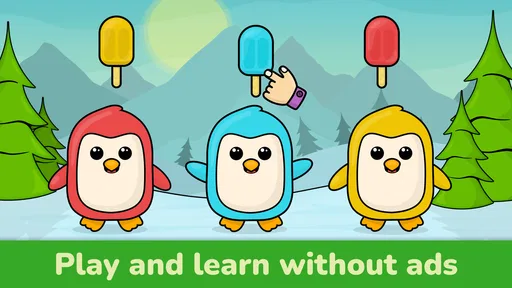
Safety is a major concern for parents when it comes to apps for kids, and this app nails it. There are no ads, so you won’t have to worry about your toddler clicking on something they shouldn’t. Plus, there’s no need for an internet connection once the app is downloaded. This means it’s perfect for long car rides or waiting rooms. You can hand over your device with peace of mind, knowing it’s a safe space for your child to explore.
Content That Grows with Your Child
What really sets this app apart is the way its content grows with your child. There are multiple levels of difficulty, so as your toddler learns and develops, the app continues to offer new challenges. It’s like having a digital playmate that evolves alongside your little one. From basic color recognition to more complex problem-solving, there’s always a new milestone to reach.
The app also includes customizable settings, allowing you to tailor the experience to your child’s pace. You can adjust the difficulty level or focus on specific skills that you’d like your toddler to practice. It’s all about providing a personalized learning journey.
Staying realistic about what it teaches
For me, the strongest use case is practicing early concepts in a low-pressure setting, not expecting the game to teach a skill on its own. A child might enjoy matching or counting on screen, but I would reinforce those ideas with real objects and simple questions. For example, after a counting activity, you could count a few toys together. That small transition helps an adult see whether the child is engaging with the idea or simply enjoying the animation.
It is also worth noticing how much help your child needs. If they can begin an activity independently but need you to explain a prompt, the game can become a shared activity. If they need an adult to guide every tap, that is not necessarily a flaw; it may simply mean they are not ready to use it independently. I would let the child’s age, patience, and interest guide the session rather than treating the available difficulty settings as a ladder they must climb.
Compatibility and practical checks
The game requires Android 7.0 or later, so I would check the device’s operating system before planning to install it. It is free to download, and the listed version is 2.85. The game was released on April 19, 2016, and is presented for children aged 2–5. These details help with a basic compatibility and age-fit check, but the adult still needs to decide whether the activities match the child in front of them.
Since the game can work without an internet connection after downloading, it may suit situations where connectivity is unreliable. I would still test it before leaving home rather than discovering in a waiting room that the device needs attention. Likewise, if a child will use a shared phone or tablet, open the game and prepare the device first; a familiar starting point can reduce accidental exits and interruptions.
What I would want to know before making it a habit
Families often wonder whether a toddler can use the game alone. My answer is that the simple interface may make exploration approachable, but I would still supervise, especially at first and whenever purchases are available in the app. Another natural question is whether it can replace other learning activities. I would not treat it that way: it can complement play, while books, toys, outdoor discovery, and conversation offer experiences a screen cannot.
If you are deciding whether the free download is enough, first spend time with the activities your child can access and see whether they return to them willingly. If you are considering optional purchases, make that decision yourself rather than letting a young child encounter the choice. And if you are unsure whether your toddler is ready, try a brief supervised session; their response will tell you more than a long play session planned in advance.
Final Thoughts
So, should you download Games for Toddlers 2 Years Old? Absolutely! It combines fun and learning in a seamless package that’s perfect for curious young minds. The app’s colorful design, intuitive navigation, and safe environment make it a must-have for any parent looking to mix play with education. Plus, the variety of games ensures that it won’t get old. Your toddler will keep coming back for more!
Ready to give it a go? You can find the download link right on our website. Happy playing!
Pros
- Engaging and colorful graphics.
- Simple controls for young children.
- Educational mini-games included.
- Safe
- ad-free environment.
- Encourages motor skill development.
Cons
- Limited content variety.
- Requires in-app purchases.
- No offline mode available.
- Some games are repetitive.
- Limited parental controls.
FAQs for Games for Toddlers 2 Years Old
What age group is Games for Toddlers 2 Years Old appropriate for?
Games for Toddlers 2 Years Old is specifically designed for children around the age of two. The games focus on developing basic cognitive, motor, and problem-solving skills in a fun and engaging manner. Each activity is crafted to match the developmental stage of toddlers, ensuring a safe and age-appropriate learning experience.
Are there any in-app purchases or ads in Games for Toddlers 2 Years Old?
The app is designed to be child-friendly, minimizing distractions and ensuring a safe environment for toddlers. It may offer a premium version with additional features, but it typically avoids intrusive ads. Parents can check the app store listing for specific details on in-app purchases and advertising policies.
What types of games are included in Games for Toddlers 2 Years Old?
Games for Toddlers 2 Years Old includes a variety of activities tailored to stimulate a toddler's curiosity and growth. These can range from simple puzzles and matching games to interactive animal sounds and colors. The games are designed to be intuitive and easy for small children to understand and enjoy.
Can Games for Toddlers 2 Years Old be used offline?
Yes, most of the games in Games for Toddlers 2 Years Old are designed to work offline, making it convenient for use during travel or in areas with limited internet connectivity. However, some features, such as updates or additional content, may require an internet connection.
Is parental supervision necessary while using Games for Toddlers 2 Years Old?
While the app is designed with young children in mind, parental supervision is always recommended. Engaging with your child during play can enhance the learning experience and ensure they are navigating the app safely. Additionally, parents can use these moments to bond and encourage further exploration.


